Seula

Mac alternatives

Moving from a Windows photo viewer to Mac?

Seula can replace the folder browsing and photo culling part of your old workflow. It is not an editor or format converter. Pick your current app below to see the practical differences.

Start with the app you know

Both apps run only on Windows, but people use them for different jobs.

Windows only

IrfanView

A good match if you used IrfanView to open folders, browse with the keyboard, inspect photos and choose keepers.

Seula covers
Browsing, RAW previews, focus checks and portable ratings.
Seula does not cover
Plugins, command-line tools, editing or batch conversion.
Compare IrfanView and Seula

Windows only

FastStone Image Viewer

A good match if you used FastStone to browse a shoot, rate images and compare similar frames.

Seula covers
Folder browsing, RAW previews, ratings and visual comparison.
Seula does not cover
Editing, batch processing, screen capture, printing or slideshows.
Compare FastStone and Seula

The part Seula replaces

From a full folder to the keepers

Open a folder directly. Move through the shoot without importing it into a catalog. Check focus, compare close calls and save your decisions as standard XMP metadata.

  • Native macOS app
  • RAW previews through macOS
  • Stars, color labels and pick or reject flags
  • No account, cloud upload or automatic scoring
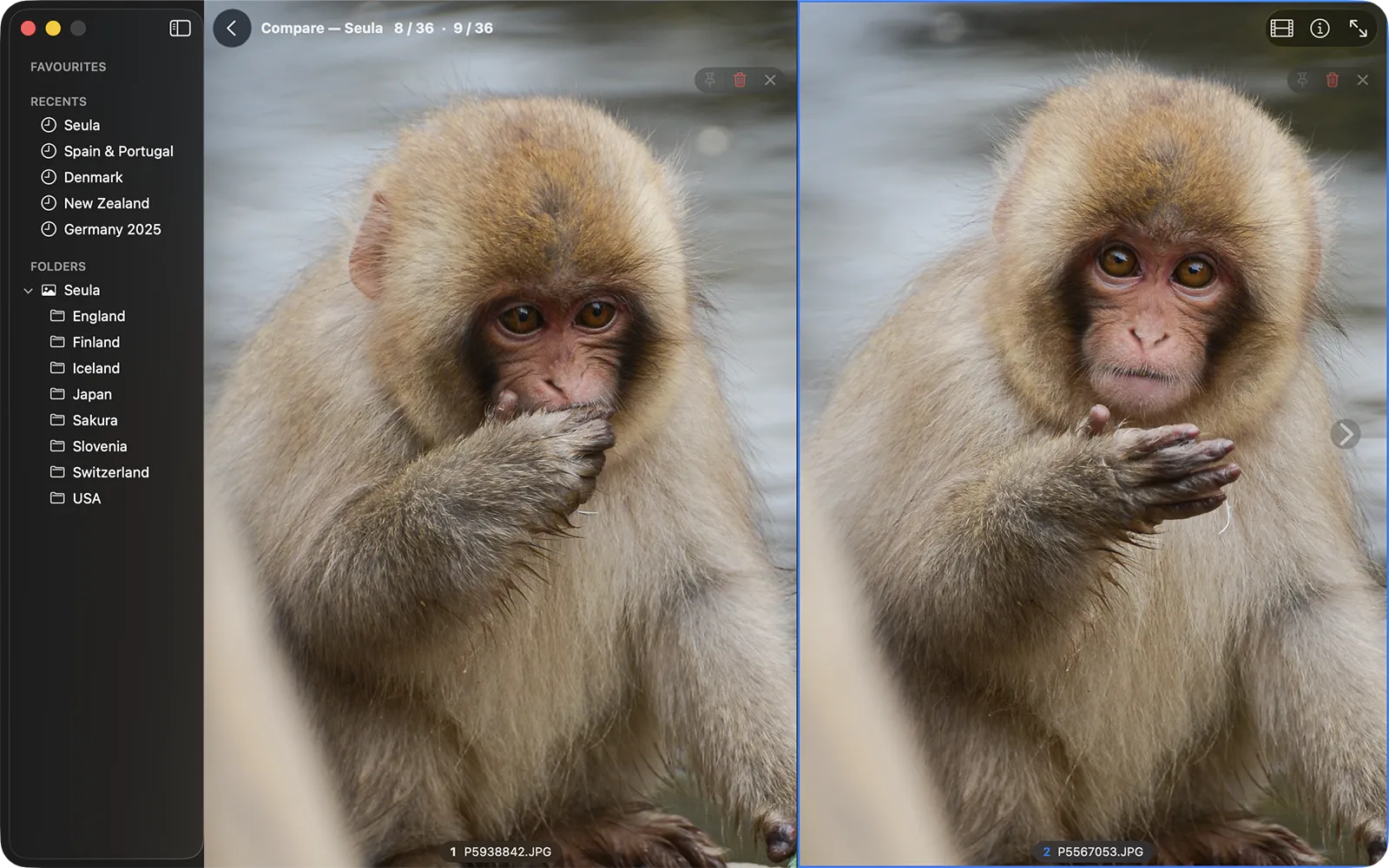
Two similar photos shown side by side in Seula Compare mode.
Compare mode keeps close calls side by side.

Try the workflow on your own folders

Seula is free for personal use and runs on macOS 12 or later.

Product information reviewed July 23, 2026.

Seula is an independent product and is not affiliated with or endorsed by IrfanView or FastStone. Product names are used only to identify the products discussed.