 Seula
SeulaChoose Seula if you want to
- Browse image folders without importing them
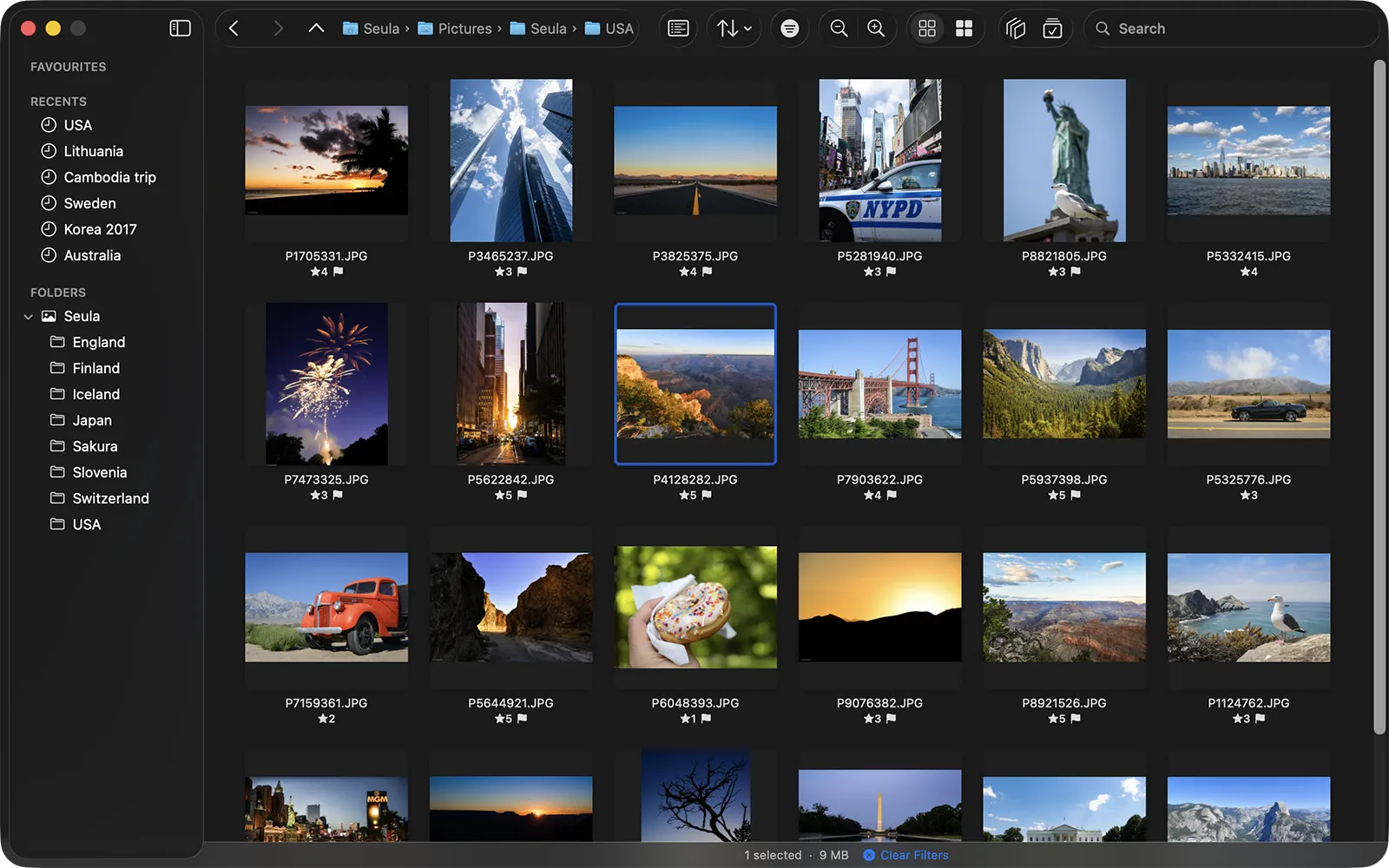
- Review RAW and JPEG shoots from the keyboard
- Check focus with peaking and autofocus point overlays
- Save ratings and flags as portable XMP metadata
From IrfanView to macOS
IrfanView has no native macOS version. Seula covers one part of its workflow: opening folders, browsing photos with the keyboard and choosing the keepers.
Not a full replacement: Seula is not a format converter, general image editor or plugin host.
Your workflow
Feature comparison
IrfanView is the broader utility. Seula is the more focused photography tool.
| Feature | IrfanView | Seula |
|---|---|---|
| Platform | Windows | Native macOS app, macOS 12+ |
| Primary job | General viewer, converter and editor | Photo browsing and culling before editing |
| Camera RAW | CamRAW is provided as a separate plugin | Uses the RAW decoders included with macOS |
| Culling tools | Thumbnail browser and file tagging | Stars, color labels, flags, Compare and Survey |
| Editing and conversion | Extensive viewing, editing and batch tools | Not included |
| Extensibility | Large plugin library and command-line options | No plugins or command-line interface |
| Personal use | Free for private, non-commercial use | Free |
Our take
If IrfanView was your compact toolbox for conversion, plugins and quick edits, Seula is not a substitute. You would lose most of what made IrfanView useful.
If your routine was simpler, Seula is closer to the mark. Open a folder, move through the photos and mark the good ones. Its main advantage is photography-specific review, including focus aids and XMP decisions that can continue into Lightroom, Capture One and other XMP-aware editors.
Product information reviewed July 23, 2026.
Seula is an independent product and is not affiliated with or endorsed by IrfanView. Product names are used only to identify the products discussed.